
Snap: The Floating Developer Dock for AI Coding
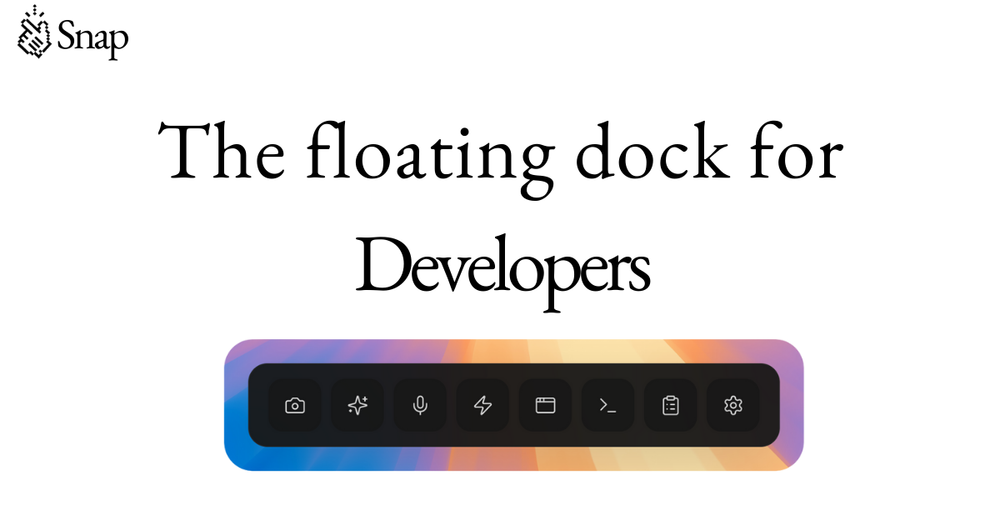
Snap is a productivity tool designed specifically for developers working with AI coding assistants. It provides a floating dock interface that stays on top of any application, offering a suite of features optimized for modern AI-powered development workflows.
Key Features
Smart Screenshot: Capture any area of your screen and automatically number every interactive element (buttons, inputs, links) for precise AI communication. This eliminates ambiguity when describing UI elements to coding assistants like Claude or Cursor.
Prompt Optimizer: Transform vague ideas into structured prompts with context, file paths, and expected behavior. Powered by Groq LLaMA with response times under 200ms, it helps developers communicate more effectively with AI coding tools.
Voice Input: Real-time transcription using Whisper technology allows developers to speak naturally and get clean text prompts without breaking their coding flow.
Workspace Snapshots: Save and restore complete development environments with one click, including all open editors, terminals, and AI coding sessions. This eliminates the time wasted rebuilding complex setups.
Agent Session Manager: Monitor multiple AI coding agents (Claude Code, Cursor Agent, etc.) in real-time across different projects, tracking costs, tokens, context usage, and approving actions without switching windows.
Custom Automation Buttons: Create dock buttons that launch development tools (VS Code, Cursor, Claude Code), run shell commands, or trigger custom scripts with keyboard shortcuts.
Educational Shorts: Short coding tips (15-60 seconds) that play automatically during AI generation times, helping developers learn CSS, React, Git, and other technologies while waiting for AI responses.
Target Users
Snap is designed for software engineers, developers, and technical teams who regularly use AI coding assistants. The tool is particularly valuable for developers working with multiple AI tools simultaneously, managing complex development environments, or seeking to optimize their AI interaction workflows.
Integration & Compatibility
The dock floats on top of any application and works seamlessly with popular development tools including VS Code, Cursor, Claude Code, Windsurf, Xcode, and Terminal. It's used by engineers at companies like Vercel, Linear, Figma, Framer, Tailwind, Spotify, and Supabase.
Pricing & Availability
Available as a Pro plan with all features included, offering monthly or annual billing options. The tool is currently available for macOS with a focus on desktop development workflows.